
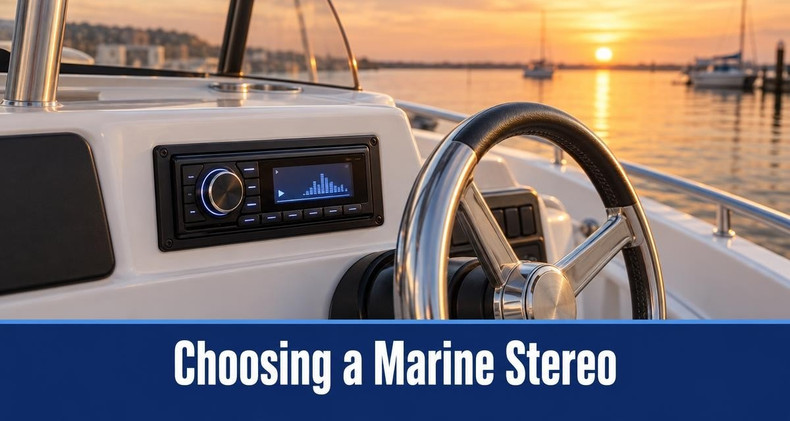
A boat is a tough place for electronics. Spray, sun, vibration and temperature swings all take a toll, and engine and wind noise make it hard to hear your music. The right marine stereo is built for those conditions. Here is how to choose one that fits your boat, your speakers and your budget.
1. Start with the water rating
Marine stereos carry an IPX rating. IPX6 means the unit resists powerful water jets, and IPX7 means it can handle temporary immersion. Pay attention to where the rating applies. On many stereos it covers the front panel only, and the back is rated lower. That means you should mount the stereo where the rear stays dry, such as behind a console panel, and not where it will get soaked.
2. Match power to your speakers
Some stereos have a built-in amplifier that can power a few speakers. That is enough for a small cockpit setup. If you plan to run a subwoofer, large tower speakers or more than four speakers, plan for an external amplifier and choose a stereo that outputs a clean signal for it. Our marine amplifier guide explains how to size one.
3. Pick the connections you will actually use
Bluetooth: The easiest way to play music from your phone. Most current marine stereos include it.
Wi-Fi streaming and AirPlay: Found on higher-end models. The Fusion Apollo MS-RA800 supports Wi-Fi streaming, Bluetooth, HDMI ARC, a 4.3-inch touchscreen and a 3-year warranty, according to the manufacturer.
USB, AM/FM and aux inputs: Handy backups when your phone is out of range or out of battery.
NMEA 2000: Lets some stereos connect to a compatible chartplotter so you can control music from the helm display.
4. Think about zones
On a larger boat you may want different volume levels at the helm, in the cabin and on the swim platform. Look for stereos that support multiple zones, or that can link with other stereos and share sources. The Fusion Apollo series and JL Audio MediaMaster systems are built for that kind of setup.
5. Consider screen visibility and controls
Sun glare can make a small display hard to read. A bright, high-contrast screen and large physical knobs help, especially with wet hands or gloves. If the stereo mounts out of reach, add a wired or wireless remote. See our marine accessories for remotes and controllers.
6. Check the fit before you order
Measure the cutout and the depth behind your panel. If you are replacing an older stereo, check whether the new model uses the same cutout and wiring. Some Fusion models are designed as drop-in upgrades for the models they replace, and retrofit kits are available when the size is different.
A quick guide to our stereo lineup
Fusion MS-RA60 and Fusion MS-RA210 for simple, affordable Bluetooth setups.
Fusion MS-RA770 Apollo and MS-RA800 for networked, feature-rich systems.
Infinity PRV250 for a budget-friendly stereo from a well-known audio brand.
JL Audio MediaMaster source units for systems built around JL Audio speakers and amplifiers.
Browse everything in our marine stereos category.
Installation tips
Disconnect the battery before wiring.
Follow the manufacturer's wiring diagram and fuse recommendations.
Seal and protect connections from moisture, and leave a little slack so you can pull the unit out later.
Test everything on the dock before you head out.
Frequently asked questions
Do I need a marine stereo, or can I use a car stereo?
Car stereos are not built for moisture, salt or UV. A marine stereo is designed for those conditions and is the better choice for a boat.
Will a new stereo work with my existing speakers?
Usually yes, as long as the impedance and power match. Check both specifications before you buy.
Can I control the stereo from my phone?
Many models can, over Bluetooth, Wi-Fi or a manufacturer app. Check the product page for details.
Still unsure? Email support@coolbranddesigns.com with your boat type and what you already have, and we will help you choose.