
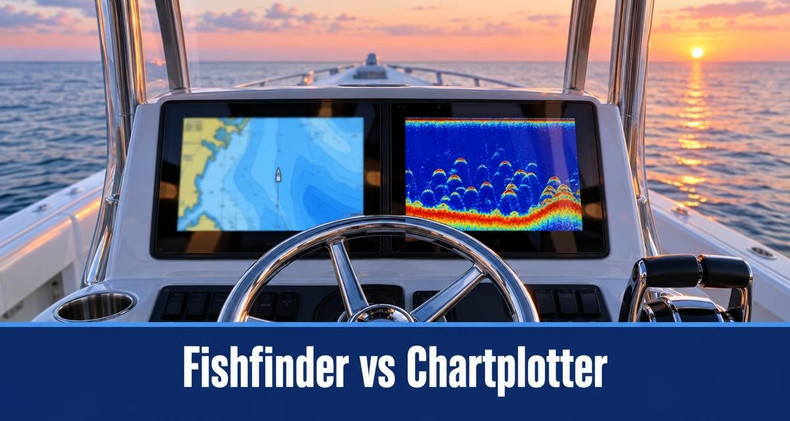
Walk into the navigation section of any marine electronics store and you will see three words over and over: fishfinder, chartplotter and MFD. They overlap, and many products are all three. Here is how to tell them apart and choose the right display for your boat.
The three terms, explained
Fishfinder: A display that shows what is under the boat using sonar. It helps you see depth, bottom structure and fish. Many include GPS for position and basic mapping.
Chartplotter: A GPS display that shows your boat on a nautical chart. It is built for navigation, with routes, waypoints and charts.
MFD (multifunction display): A larger display that combines chartplotting, sonar and often radar, autopilot, engine data and more on one network.
Some products are called combos because they pair a chartplotter with sonar. Names like echoMAP, Striker, Elite, HDS, GPSMAP and NSX all fall somewhere along this range.
Which one fits your boat?
Small boat or kayak-style fishing: A compact fishfinder with GPS is often enough. The Garmin STRIKER Vivid 9SV is an example of a fishfinder with a plotter.
Fishing and cruising: A combo such as the Garmin echoMAP UHD2 75CV adds charts and sonar on one screen.
Larger boats or full helm setups: A full MFD like the Simrad NSX3009 or Lowrance HDS9 Pro can combine charts, sonar and networked devices.
Understand sonar and transducers
Sonar needs a transducer, the part that sends and receives sound waves through the water. Many displays are sold with a transducer, and many are sold without one. If a product name says "No Transducer," you must buy one separately. Check that the transducer is compatible with your display and your hull type.
Common sonar types include:
CHIRP sonar: Sends a sweep of frequencies for clearer detail and better target separation.
Down imaging and side imaging: Pictures of what is directly below and off to the sides of your boat.
Active Imaging and similar systems: Brand-specific packages that combine several views, such as Lowrance and Simrad Active Imaging 3-in-1 transducers.
Transducers come in transom-mount, thru-hull and in-hull styles, so choose the one that suits how your boat is built.
Charts and maps
A chartplotter needs charts. Some units come with preloaded charts such as C-MAP or Garmin Navionics+, shown in product names as "C-MAP" or "GN+". Regional versions cover coastal waters or inland lakes, so choose the version that matches where you boat. Additional chart cards are available on microSD for many models.
Screen size and controls
Screen size: 5 to 7 inches suits small boats. 9 to 12 inches is a good middle range. 16 inches and up suits large helms.
Touchscreen vs keys: Touchscreens are quick to use, while keys and knobs work well with wet hands or in rough water. Some displays offer both.
Mounting: Check whether the unit flush-mounts or bracket-mounts, and measure your dash or console.
Networking and expansion
If you plan to add radar, an autopilot, a VHF radio or a stereo to your helm display, look for NMEA 2000 or Ethernet networking. Radar needs a compatible display and the right antenna and cable. Check compatibility before you buy.
Protect your investment
A sun cover or protective cover keeps glare and scratches off your screen when you are not using it. Browse our accessories and look for covers sized for your display.
Ready to shop? Browse our navigation and fish finders category, or email support@coolbranddesigns.com with your boat type and budget, and we will help you narrow it down.
Frequently asked questions
Can I use a fishfinder for navigation?
Only if it has GPS and charts. A fishfinder without a chartplotter shows position, but not detailed nautical charts.
Do I need a transducer?
Yes, for sonar. Some displays include one and some do not.
What is the difference between a combo and an MFD?
A combo pairs a plotter and sonar. An MFD usually adds networking and more functions.